Well, the game is still insisting on compressing (or possibly converting) textures in the game. On most colours this doesn't seem to matter much and unlike before it's not corrupting the FILES, just the displayed texture, but in the darkest colours it looks like total crap.
I'm not quite sure what to do about this at this point. I already rebuilt one dark skirt with a nearly-flat colour to try to avoid this (it and the fixed skirt texture for the one I mentioned the other day are on the website now) so I may have to do that with the others, too. It's a little annoying to look at the in-file graphic and see it be totally fine but have the in-game one be ass, though.
So, my advice, if you downloaded my clothes: don't use the charcoal ones (the dark brownish-black), because it will likely have some very obvious flaws*. I might be able to flatten the colour on them to keep it from happening, but it may be a few days before I get to it. The other dark colours (notably the twilight blue) don't show it as badly but depending on how picky you are you might want to double-check before sending a Sim out into the world with it.
The kicker is that their clothes have issues, too, but because they mostly use mid-range colours it's not very obvious.
So far I've yet to see this happen on the objects, but I don't have a lot of dark objects.
(*This may be partly an ATI issue. I don't have a computer with an nVidia card handy so I can't double-check this, but DXT compression is not native to ATI cards, so there may be some weird interaction between the Sims' use of it and the card. Note that I have other games using DXT where this isn't a problem so I'm only theorizing.)
Tuesday, February 12, 2008

Today's thought
I think I might be a little too thorough sometimes. Because that neighborhood you got to see a tiny pic of yesterday? That's the BACKSTORY neighborhood. I'm probably going to shoot about 30 pictures total (well, okay, I'm probably going to keep about 30 pictures total) and maybe 10 minutes of video. Naturally I've spent 2 days working on it.
Tomorrow I start the actual story neighborhood.
Tomorrow I start the actual story neighborhood.
Monday, February 11, 2008
Izza more update
Okay, first, pursuant to the last post, we are buying a copy of an older version of Sony Vegas, for $42 including shipping. I think it's actually the version I once did download a trial for a few years ago, which I recall having very little trouble adapting to. So hopefully that will take care of any editing woes... I'm about 98% certain that it's got that variable chromakeying, since I found an old tutorial about it from the year it was released, so it should be all good.
Also, here's my progress to date in pictorial form:

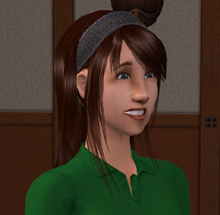
Top row: [left] Miho as a teen (with her mom) [right] One of Miho's school friends with her family
Bottom row: [left] Another school friend of Miho [right] A basic shot of the neighborhood TeenMiho is from.
As you can see I've still got some empty lots down. Those represent places people are going (except the blue one, which is obviously gonna be a community lot). Most of the lots you see are slightly-altered duplicates of one another, just shells for background.
Also, in a fit of irony, the one thing I thought had no issues, that being clothes? I discovered today one of the skirts sorta, ahem, doesn't have a texture. I need to go take a look at that and figure out what happened (and upload a corrected file). Cuz, man, having the shape of the skirt but with the barbie nudity plastered onto the shape? Not working for me.
Also, here's my progress to date in pictorial form:

Top row: [left] Miho as a teen (with her mom) [right] One of Miho's school friends with her family
Bottom row: [left] Another school friend of Miho [right] A basic shot of the neighborhood TeenMiho is from.
As you can see I've still got some empty lots down. Those represent places people are going (except the blue one, which is obviously gonna be a community lot). Most of the lots you see are slightly-altered duplicates of one another, just shells for background.
Also, in a fit of irony, the one thing I thought had no issues, that being clothes? I discovered today one of the skirts sorta, ahem, doesn't have a texture. I need to go take a look at that and figure out what happened (and upload a corrected file). Cuz, man, having the shape of the skirt but with the barbie nudity plastered onto the shape? Not working for me.
stupid moviemaker
It's no news to me that Windows Movie Maker is not precisely a robust video editor. It's serviceable, if what you want is simple compositing, and I could probably do most of what I want with it, but one thing I'd hoped to do that I just tested turns out to be impractical... partly because of WMM's limitations and partly because of Sims lighting.
New Versions of Flawed Custom Content
All Homecrafter and Object files downloaded from me prior to February 9th should be replaced. Due to renames and/or reorganization, I advise deleting all relevant files, then downloading the new versions and putting them in place. [If you're worried, make backups... but I did this without trouble.]
Existing collections and decorated items should remain unchanged (except as noted below), as the files have the same ID numbers.
Existing collections and decorated items should remain unchanged (except as noted below), as the files have the same ID numbers.
Wednesday, February 6, 2008


Tuesday, February 5, 2008
And other recolours...
Oh, look. My object recolours have the same compression problems.
*sighs weightily*
Okay. I've pulled all the download links except for the clothing, which I already worked around the compression issues for. I'll be searching through my archives for the original graphics files and fixing the packages as soon as possible.
If you have downloaded ANYTHING from me besides clothing, you will want to keep an eye out for the fixed files. I'll announce them and restore the links when I get a chance to finish up.
*sighs weightily*
Okay. I've pulled all the download links except for the clothing, which I already worked around the compression issues for. I'll be searching through my archives for the original graphics files and fixing the packages as soon as possible.
If you have downloaded ANYTHING from me besides clothing, you will want to keep an eye out for the fixed files. I'll announce them and restore the links when I get a chance to finish up.
Even More about Paint colours
*tears hair out*
So, I used the ORIGINAL bmps that I loaded into Homecrafter for the solid colour paints to fix up the ones that were off... only it turns out that THOSE don't match the IN-GAME versions, probably because of compression issues.
So essentially I have three choices:
a) Rebuild all 880 file graphics (835, I guess, since I'd be starting with the regular paint colours) and reload them into the existing packages using simPE tricks to keep the compression issues from happening
b) Rebuild only those colours that are still the most 'off' (mainly a couple I missed listing the last time through) and say "fuck it" to the colour differences
c) Say "fuck it" and don't fix any of it, because really who is going to notice unless they literally put two styles of paint next to each other...
Of course, given that the files I've already changed (which, by the way, included ALL the 'Paint w/White Kick' files because there was a misnaming problem) have other compression issues, and I was going to fix those anyhow because they are pretty visible, I probably will end up doing a) even though what I want to do is c) because dammit, I want to start playing SOMEDAY. I'm not an obsessive perfectionist, but little things like this do tend to irritate me especially since in theory I built all this crap to NOT have these issues...
Sigh. I need a drink. Of course, I don't have any alcohol in the house...
So, I used the ORIGINAL bmps that I loaded into Homecrafter for the solid colour paints to fix up the ones that were off... only it turns out that THOSE don't match the IN-GAME versions, probably because of compression issues.
So essentially I have three choices:
a) Rebuild all 880 file graphics (835, I guess, since I'd be starting with the regular paint colours) and reload them into the existing packages using simPE tricks to keep the compression issues from happening
b) Rebuild only those colours that are still the most 'off' (mainly a couple I missed listing the last time through) and say "fuck it" to the colour differences
c) Say "fuck it" and don't fix any of it, because really who is going to notice unless they literally put two styles of paint next to each other...
Of course, given that the files I've already changed (which, by the way, included ALL the 'Paint w/White Kick' files because there was a misnaming problem) have other compression issues, and I was going to fix those anyhow because they are pretty visible, I probably will end up doing a) even though what I want to do is c) because dammit, I want to start playing SOMEDAY. I'm not an obsessive perfectionist, but little things like this do tend to irritate me especially since in theory I built all this crap to NOT have these issues...
Sigh. I need a drink. Of course, I don't have any alcohol in the house...
Monday, February 4, 2008
Addendum on the Paint Errors
...it's more widespread than I thought. I'm not sure how so yet, but I'm now going to be going through ALL the paint colours in ALL their variations and figure it out.
I suppose I could just call it "Manufacturer's variance" and live with it, since few people are going to combine, say, the original paint with the paint w/dark crown and kick, but it irritates me, so I'll probably end up fixing.
Making a list now.
ETA 116 files of 880 were sufficiently different that I feel a need to change them. I think. If I didn't miss anything. Which I hope I didn't.
I have a good list to work off of that should make this easy, and I still have my bases so I'm hoping it won't take TOO long... but I'm not tackling this until tomorrow, cuz I need a break. Plus I'm starving.
And then I get to package them and upload them and THEN I get to repackage the original files! Yay!
In the meantime, if you're using these... I think just replacing the package file with another should work, since the GUID should be the same (I'm not recreating, I'm editing the picture inside the file), so once I get the files uploaded it should be pretty easy to get the corrections in place.
I suppose I could just call it "Manufacturer's variance" and live with it, since few people are going to combine, say, the original paint with the paint w/dark crown and kick, but it irritates me, so I'll probably end up fixing.
Making a list now.
ETA 116 files of 880 were sufficiently different that I feel a need to change them. I think. If I didn't miss anything. Which I hope I didn't.
I have a good list to work off of that should make this easy, and I still have my bases so I'm hoping it won't take TOO long... but I'm not tackling this until tomorrow, cuz I need a break. Plus I'm starving.
And then I get to package them and upload them and THEN I get to repackage the original files! Yay!
In the meantime, if you're using these... I think just replacing the package file with another should work, since the GUID should be the same (I'm not recreating, I'm editing the picture inside the file), so once I get the files uploaded it should be pretty easy to get the corrections in place.
Collections and Replacement textures
Okay, I'm not quite done with the collectionizing. Seriously, it's well over 1000 files I'm doing, so I'm not surprised. More, counting Maxis colours. And I'm not just throwing them in a collections folder... I'm organizing them by hue, grouping like stuff together (e.g., pastel rose, rose, victorian rose go next to each other; pastel rose with white kick can be found with pastel rose with light, medium, and dark kicks; etc.).
I'm also not surprised, though I am a little irked, that I have some non-matching recolours. I will be fixing these and uploading a batch of corrections this week. So if you downloaded any paint walls, you'll want to keep an eye out for that post. I suppose it's actually pretty amazing that most of the colours appear to really be correct, considering how I did it and how spread out the job was, but I really thought I'd set it up so this wouldn't happen. It seems to mostly be darker colours, too (like, a lot of the Black Satin ones are too light).
What I have left to do:
Organize most of the adorned paint (I've done plain and paint w/kick), which currently contains only my colours.
Add Maxis colours to the various paint folders and organize the new stuff.
Collectionize and organize the tile walls.
The floors are all done.
Needless to say I haven't gotten any actual building done today. There's only so long in a row I can stare at little thumbnails, so I did a bunch of reading in between doing organizing. TBH I'm not sure I'll finish organizing today but we'll see. If not it won't be long tomorrow, so I should be able to get back to building then.
I did do one other thing today in one of my breaks from organizing, and that's start making a list of stuff I need to shoot in the background neighborhood, since I'm going to want to do that stuff first.
I'm also not surprised, though I am a little irked, that I have some non-matching recolours. I will be fixing these and uploading a batch of corrections this week. So if you downloaded any paint walls, you'll want to keep an eye out for that post. I suppose it's actually pretty amazing that most of the colours appear to really be correct, considering how I did it and how spread out the job was, but I really thought I'd set it up so this wouldn't happen. It seems to mostly be darker colours, too (like, a lot of the Black Satin ones are too light).
What I have left to do:
Organize most of the adorned paint (I've done plain and paint w/kick), which currently contains only my colours.
Add Maxis colours to the various paint folders and organize the new stuff.
Collectionize and organize the tile walls.
The floors are all done.
Needless to say I haven't gotten any actual building done today. There's only so long in a row I can stare at little thumbnails, so I did a bunch of reading in between doing organizing. TBH I'm not sure I'll finish organizing today but we'll see. If not it won't be long tomorrow, so I should be able to get back to building then.
I did do one other thing today in one of my breaks from organizing, and that's start making a list of stuff I need to shoot in the background neighborhood, since I'm going to want to do that stuff first.
Subscribe to:
Posts (Atom)

 Posts
Posts

