Showing posts with label setup commentary. Show all posts

Friday, February 15, 2008

misc progress notes

Despite insomnia, cramps, toothaches, etc. I have managed to do a few things:
  • Finished up building the main Twilight Dreams neighborhood. Well, mostly; there's one lot that's only partly developed but it doesn't need to be more than it is for now.

  • Populated the neighborhood, including with a few generic non-important people so my walkbys aren't always feature characters.

  • Improved the dithering issues on clothing. Can't fix 'em entirely (like I said, even the Maxis stuff does this to me) but they're better, although there's still one or two things I might yet do another tweak on. I managed to get charcoal working okay, even, although in some cases 'okay' is better than others. I had to totally desaturate it to make it work, though.

  • Made sure there's a second copy of everything, including neighborhoods, in my archive directory. I should (and will) burn some stuff to CD but I really need to organize what I have in archives first, since there's actually multiple copies of a lot of stuff.


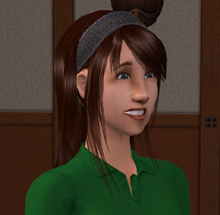
Still gonna be a bit before I have anything to release but in the meantime, have a picture:

Wednesday, February 13, 2008

okay, I think I got it figured out

So, apparently if I check the item by running Photoshop's DDS filter and make sure it doesn't dither poorly, I can predict if it'll look okay in-game, provided I do then go and do my other workaround.

I'll work on rebuilding the clothes soon, using this method. In the meantime, I've removed the links to the downloads and put a note up about it.

In other news, the backstory neighborhood is built and populated fully, and I'm ready to start working on the new one.

I'm probably going to bed soon, though.

Tuesday, February 12, 2008

more clothing grr

Well, the game is still insisting on compressing (or possibly converting) textures in the game. On most colours this doesn't seem to matter much and unlike before it's not corrupting the FILES, just the displayed texture, but in the darkest colours it looks like total crap.

I'm not quite sure what to do about this at this point. I already rebuilt one dark skirt with a nearly-flat colour to try to avoid this (it and the fixed skirt texture for the one I mentioned the other day are on the website now) so I may have to do that with the others, too. It's a little annoying to look at the in-file graphic and see it be totally fine but have the in-game one be ass, though.

So, my advice, if you downloaded my clothes: don't use the charcoal ones (the dark brownish-black), because it will likely have some very obvious flaws*. I might be able to flatten the colour on them to keep it from happening, but it may be a few days before I get to it. The other dark colours (notably the twilight blue) don't show it as badly but depending on how picky you are you might want to double-check before sending a Sim out into the world with it.

The kicker is that their clothes have issues, too, but because they mostly use mid-range colours it's not very obvious.

So far I've yet to see this happen on the objects, but I don't have a lot of dark objects.

(*This may be partly an ATI issue. I don't have a computer with an nVidia card handy so I can't double-check this, but DXT compression is not native to ATI cards, so there may be some weird interaction between the Sims' use of it and the card. Note that I have other games using DXT where this isn't a problem so I'm only theorizing.)

Today's thought

I think I might be a little too thorough sometimes. Because that neighborhood you got to see a tiny pic of yesterday? That's the BACKSTORY neighborhood. I'm probably going to shoot about 30 pictures total (well, okay, I'm probably going to keep about 30 pictures total) and maybe 10 minutes of video. Naturally I've spent 2 days working on it.

Tomorrow I start the actual story neighborhood.

Monday, February 11, 2008

Izza more update

Okay, first, pursuant to the last post, we are buying a copy of an older version of Sony Vegas, for $42 including shipping. I think it's actually the version I once did download a trial for a few years ago, which I recall having very little trouble adapting to. So hopefully that will take care of any editing woes... I'm about 98% certain that it's got that variable chromakeying, since I found an old tutorial about it from the year it was released, so it should be all good.

Also, here's my progress to date in pictorial form:


Top row: [left] Miho as a teen (with her mom) [right] One of Miho's school friends with her family
Bottom row: [left] Another school friend of Miho [right] A basic shot of the neighborhood TeenMiho is from.

As you can see I've still got some empty lots down. Those represent places people are going (except the blue one, which is obviously gonna be a community lot). Most of the lots you see are slightly-altered duplicates of one another, just shells for background.

Also, in a fit of irony, the one thing I thought had no issues, that being clothes? I discovered today one of the skirts sorta, ahem, doesn't have a texture. I need to go take a look at that and figure out what happened (and upload a corrected file). Cuz, man, having the shape of the skirt but with the barbie nudity plastered onto the shape? Not working for me.

stupid moviemaker

It's no news to me that Windows Movie Maker is not precisely a robust video editor. It's serviceable, if what you want is simple compositing, and I could probably do most of what I want with it, but one thing I'd hoped to do that I just tested turns out to be impractical... partly because of WMM's limitations and partly because of Sims lighting.

Wednesday, February 6, 2008

What I'm fixing...

(Click to expand.)


(That's all the update you get today.)

Tuesday, February 5, 2008

Even More about Paint colours

*tears hair out*

So, I used the ORIGINAL bmps that I loaded into Homecrafter for the solid colour paints to fix up the ones that were off... only it turns out that THOSE don't match the IN-GAME versions, probably because of compression issues.

So essentially I have three choices:

a) Rebuild all 880 file graphics (835, I guess, since I'd be starting with the regular paint colours) and reload them into the existing packages using simPE tricks to keep the compression issues from happening
b) Rebuild only those colours that are still the most 'off' (mainly a couple I missed listing the last time through) and say "fuck it" to the colour differences
c) Say "fuck it" and don't fix any of it, because really who is going to notice unless they literally put two styles of paint next to each other...

Of course, given that the files I've already changed (which, by the way, included ALL the 'Paint w/White Kick' files because there was a misnaming problem) have other compression issues, and I was going to fix those anyhow because they are pretty visible, I probably will end up doing a) even though what I want to do is c) because dammit, I want to start playing SOMEDAY. I'm not an obsessive perfectionist, but little things like this do tend to irritate me especially since in theory I built all this crap to NOT have these issues...

Sigh. I need a drink. Of course, I don't have any alcohol in the house...

Monday, February 4, 2008

Addendum on the Paint Errors

...it's more widespread than I thought. I'm not sure how so yet, but I'm now going to be going through ALL the paint colours in ALL their variations and figure it out.

I suppose I could just call it "Manufacturer's variance" and live with it, since few people are going to combine, say, the original paint with the paint w/dark crown and kick, but it irritates me, so I'll probably end up fixing.

Making a list now.

ETA 116 files of 880 were sufficiently different that I feel a need to change them. I think. If I didn't miss anything. Which I hope I didn't.

I have a good list to work off of that should make this easy, and I still have my bases so I'm hoping it won't take TOO long... but I'm not tackling this until tomorrow, cuz I need a break. Plus I'm starving.

And then I get to package them and upload them and THEN I get to repackage the original files! Yay!

In the meantime, if you're using these... I think just replacing the package file with another should work, since the GUID should be the same (I'm not recreating, I'm editing the picture inside the file), so once I get the files uploaded it should be pretty easy to get the corrections in place.

Collections and Replacement textures

Okay, I'm not quite done with the collectionizing. Seriously, it's well over 1000 files I'm doing, so I'm not surprised. More, counting Maxis colours. And I'm not just throwing them in a collections folder... I'm organizing them by hue, grouping like stuff together (e.g., pastel rose, rose, victorian rose go next to each other; pastel rose with white kick can be found with pastel rose with light, medium, and dark kicks; etc.).

I'm also not surprised, though I am a little irked, that I have some non-matching recolours. I will be fixing these and uploading a batch of corrections this week. So if you downloaded any paint walls, you'll want to keep an eye out for that post. I suppose it's actually pretty amazing that most of the colours appear to really be correct, considering how I did it and how spread out the job was, but I really thought I'd set it up so this wouldn't happen. It seems to mostly be darker colours, too (like, a lot of the Black Satin ones are too light).

What I have left to do:

Organize most of the adorned paint (I've done plain and paint w/kick), which currently contains only my colours.
Add Maxis colours to the various paint folders and organize the new stuff.
Collectionize and organize the tile walls.

The floors are all done.

Needless to say I haven't gotten any actual building done today. There's only so long in a row I can stare at little thumbnails, so I did a bunch of reading in between doing organizing. TBH I'm not sure I'll finish organizing today but we'll see. If not it won't be long tomorrow, so I should be able to get back to building then.

I did do one other thing today in one of my breaks from organizing, and that's start making a list of stuff I need to shoot in the background neighborhood, since I'm going to want to do that stuff first.

Sunday, February 3, 2008

This is me, being productive

Well, okay, not THAT productive... but even though I usually don't get much Sims stuff done on the weekends (and in fact am about to go play Guild Wars) I did manage to do a couple things. The object recolours were mostly things I did before but the livingroom stuff was done today, and yesterday I collectionized some of the flooring. Today I put together the first building in the backstory neighborhood and put the relevant people in it:


Tomorrow I'll get back to collectionizing (building even one building makes me want to finish it that much more), and maybe put together some more buildings, depending on how long that takes me.

Friday, February 1, 2008

Progress & Stuff

First: Recolours

My custom content post has been updated and slightly reorganized. This link is also always available in the side bar.

Wednesday, January 30, 2008

widescreen vs the Sims

Well, I can run the Sims in widescreen, but not at my native resolution. Unfortunately, running in a non-widescreen resolution does NOT do the black bar thing; I think this particular monitor might not know how to respond to that instruction or something? I don't know.

Tuesday, January 29, 2008

*sneezes*

My allergies are just out of control today. It's very distracting.

Monday, January 28, 2008

pizza time

Well, still moving a little slow (I had a very sleepy day) but I now have BV, simPE and CEP installed and all my downloads (including updated versions of AwesomeWare and a couple new things) in place, and I got a small bit of clothing done. I still haven't actually loaded the game and fiddled with settings yet, though.

It's pizza time. Actually, french bread pizza from Stouffer's time. More tomorrow, I think.

Friday, January 25, 2008

No, um, really, still planning on playing

Okay, see, I got Zoo Tycoon 2 for Christmas, so I spent a few days playing that, and then we got Guild Wars, which is highly addictive, which is most of what I've been doing since the beginning of the month.

Monday, December 10, 2007

More delays, but some good news, too

Well, the bad news is I no longer can predict a solid date for when I will be putting anything out. There's three reasons for this: the first is my cold came back so I kinda didn't really do anything Simsy last week. (I feel better now.) The second is a really good reason that involves joy and happiness and great celebration, or at least it does from me.

Tuesday, November 27, 2007

pushing back projects due to illness

One of the consequences of my general ill health is that when I get a cold, I get sick for a long time. Very fortunately for me this cold didn't choose to settle badly into my respiratory system; when that happens, I tend to end up in the hospital. Instead, it chose to grace me with severe head congestion. The nose part is mostly cleared at this point, but I still have severe ear congestion on the right side and mild on the left, leaving me feel unbalanced and distracted. I am having a hard time concentrating on anything because of this.

So, I'm not even trying until it's cleared. Now, it is better; I can actually hear at all out of the right ear, and the left ear is mostly cleared up, both of which represent major improvements over last week. And my voice is mostly back, though still hoarse. So I expect it won't be too long before it clears up, but by that I mean "Maybe next week I'll feel like I can concentrate enough to do things like build and finish up clothes and make my collections." This week, I'm just giving myself off, and if I happen to work on things during it, well, that'll just put me ahead...

So, um. Mid-to-late December for releases of things? A nice holiday present for people who actually like my stuff?

Tuesday, November 20, 2007

grrr bodyshop grrr

So, I'm having this problem with Bodyshop trying to extremely compress the original BMPs of clothing in the actual package file, resulting in what ought to be a perfectly good graphic turning into this pixellated crap. I'm not sure what I can do about it... I'm already trying to keep adjacent colour changes to a minimum but somehow it's managing to b0rk them up anyhow. So either I need to rework the base for the clothes to be even less shaded, or I need to go into each and every package afterwards and replace the files with cleaner versions (increasing package size considerably, naturally).

I don't know why I'm having this problem... I swear other people don't have this problem. It's the same sort of stupid dxt issues I've had before I tihnk, though (for instance I was going to switch to Hysterical Paroxysm's skins but I can't because as soon as they're loaded once the game ultra-compresses them for some bizarre reason, which leaves them really badly pixellated). I don't know if there's some hidden setting somewhere I could alter to try to fix this, or what. What's freaky is I don't have this issue in other games using DXT. AND I have the nVidia toolset, even (though not an nVidia card).

Anyhow, so the only Bodyshop thing I actually got done-done today was custom eyebrow colours for the characters with unusual hair colours. I also loaded in a bunch of object recolours (but haven't looked at them in-game yet) and made a list of everything I need to do the flashback scenes for Twilight Dreams, since I'm going to work on those first... mainly it involves making duplicates of the characters in different settings with different companion characters, and figuring out what buildings I need to make multiples of and how to put together the duplicates had to be done before I could build.

Monday, November 19, 2007

the full update for today

As you can see, I managed to finish the first round of Homecrafter stuff and sort and upload it. I will be finishing up some object recolours and uploading those as well, hopefully within the week. Eventually I'll be adding clothing, too.

I'm going to be redoing the shirts I did for the chicks because I want to go back and fix the detail washout, so I'm going to start over with a new and improved base so hopefully it won't happen again. I also will be working on new stuff, too. Again, hopefully I'll get it done within the week.

Tomorrow I'll hopefully be working on Twilight-Dreams specific things, including building. I guess that means I'm going to have to make a final decision on what neighborhood base to put it in. It's really not that vital, I guess, but I want to build a whole little town for it, so I've been debating about the size and layout.

I say 'hopefully', because I'm still sick. I'm hideously stuffed up, though it's better than it was a few days ago. I can't hear right and I can't talk easily. (I sound really funny when I try to talk. Imagine that exact note of the crack of a voice change from puberty, only for the entire sentence.) So my motivation is there but my energy and ability to concentrate is less so.

I would seriously consider committing murder for some steroids and some combivent or even just albuterol right now.

Anyhow, still shooting for early December for the first Twilight Dreams releases.